
Your Data, Your Rules: Introducing Required Fields
Every wildlife rehabilitation organization is a little different. The information that's mission-critical for a seabird rescue on the coast isn't always the same information a raptor center in the mountains needs to capture on every single patient. For years, you've told us the same thing: "We wish we could decide which fields our team has to fill out." Today, we're thrilled to say — you can.
Meet Required Fields.
What It Does
Required Fields is available to WRMD Pro users and lets your organization designate the fields that matter most to you as mandatory — above and beyond the handful of fields WRMD has always required. Mark a field as required and it gets a clear red star next to its label. If someone tries to save a record without completing it, WRMD gently stops them and points them right to what's missing. No more chasing down half-finished records days later. No more discovering at grant-reporting time that a key piece of data was skipped on 40 patients.
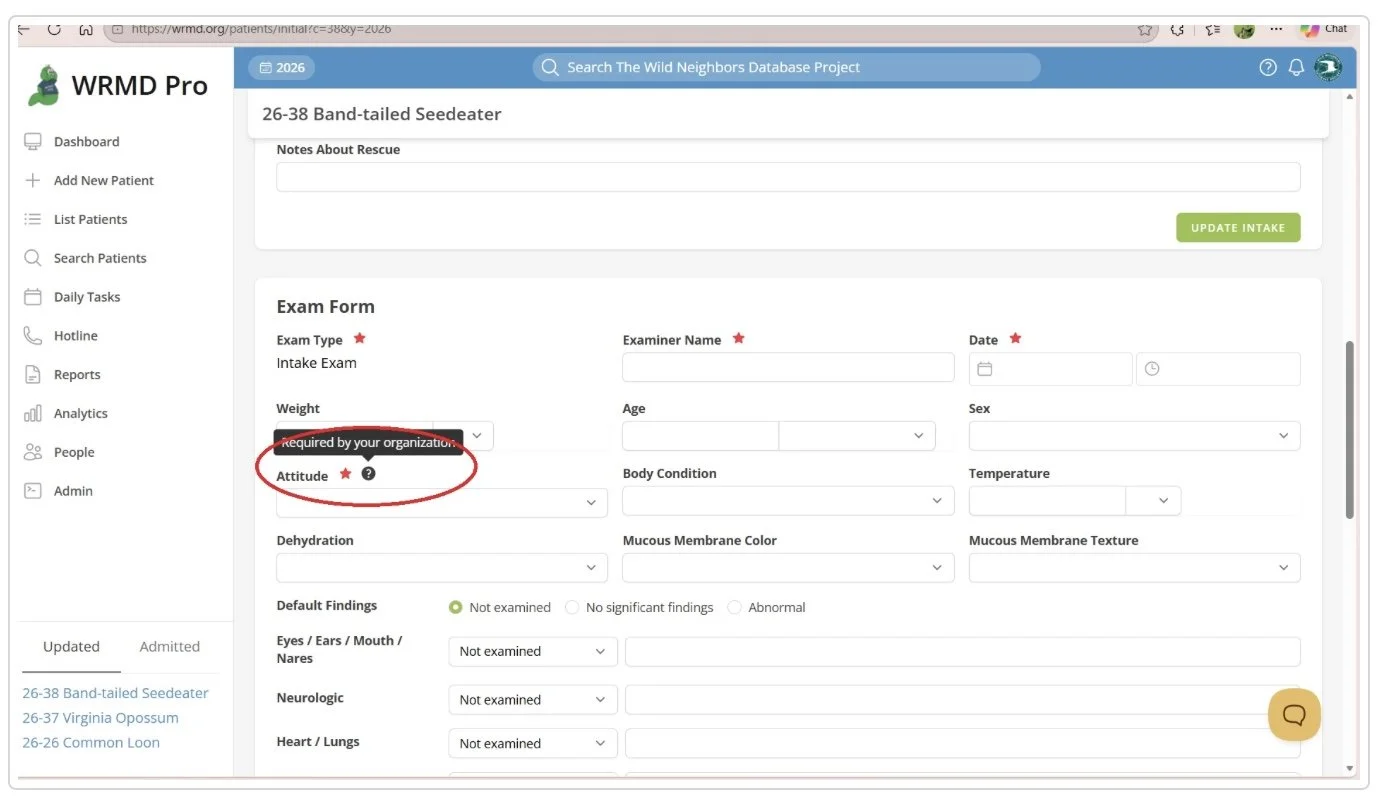
A Required Field will receive a red star next to its label. If you hover over the question mark next to the star, it will tell the user that this field is required by your organization.
Why You're Going to Love It
Consistent data, every time. The information you depend on for state reports, grant applications, and compliance gets captured the first time, on every record, by every team member — whether they're a seasoned staffer or a brand-new volunteer on their first shift.
You're in control. You know your operation better than anyone. Required Fields lets you tailor WRMD to the way YOU work, without writing a single line of code or waiting on a software update. Choose from fields across Patient, Exam, Care Log, Disposition, and your own custom fields.
Instant, organization-wide. Flip the switch and your changes take effect immediately, across every form, for your whole team.
Gentle on your history. Required Fields only applies going forward. Your existing records are left exactly as they are — nothing breaks, nothing needs backfilling.
A Word of Friendly Advice
The temptation is to require everything at once. Our suggestion? Start small. Pick a few fields that genuinely matter, talk with your team about what's realistic to capture during a busy intake, and revisit your list every so often as your needs evolve. A short, thoughtful list of required fields will serve you far better than an exhaustive one that slows admissions to a crawl.
Required Fields is available now for administrators on the WRMD Pro plan. Your data has always been yours. Now the rules around it are, too. This quick tutorial will walk you through how to use Required Fields.