
Find Your Species Faster: Introducing Curated Common Names
WRMD knows thousands upon thousands of species. That's a wonderful thing when a truly unusual patient comes through your doors — but let's be honest, most days you're admitting the same familiar faces. The mallards, the cottontails, the house finches, the gray squirrels. So why should your team scroll past a thousand species they'll never see just to find the one in their hands?
They shouldn't have to anymore. Say hello to Curated Common Names.
What It Does
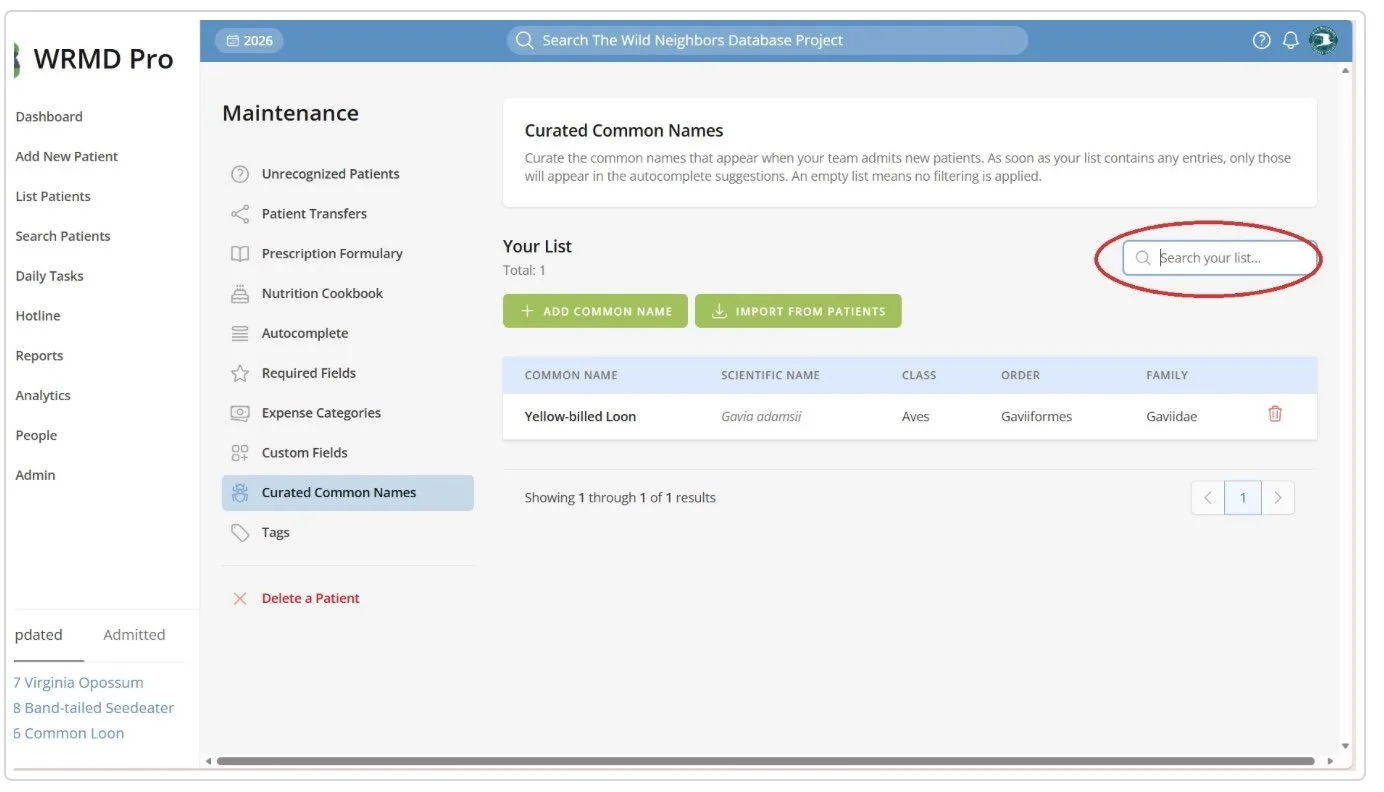
Curated Common Names lets you build a short list of the species your organization actually treats. Once you do, the species search on your admission form quietly narrows itself to just those animals. Your team types a few letters and the right species is right there — no endless scrolling, no hunting through look-alikes from the other side of the world.
The best part is how effortless it is. There's no toggle to flip, no setting to remember. If your list is empty, WRMD works exactly as it always has — every species available. The moment you add even one species, the filtering turns on by itself. Your list IS the switch.
Why You're Going to Love It
Faster, smoother admissions. Intake is often the busiest, most stressful moment of a patient's journey. Cutting the species search down to the animals you really see means less scrolling, fewer mis-clicks, and more time for the animal in front of you.
Built your way, in minutes. Add species by hand, or let WRMD do the heavy lifting and import every species you've already admitted in your patient history. Either way, your list is ready in no time.
Forgiving and flexible. The search shrugs off typos, so a quick "mallrd" still finds your mallard. Keep multiple spellings of the same species if that suits your team. And if something rare comes in, no problem — staff can always type a species directly, even if it's not on the list. You're never boxed in.
Nothing to lose. Curated Common Names only shapes future admissions. Every record you've already entered stays exactly as it was. Adding, removing, or tidying your list never touches your history.
It grows with you. WRMD even helps you spot patients that didn't match your curated list, so you can easily fold new regulars in as your caseload changes from season to season.
Getting Started
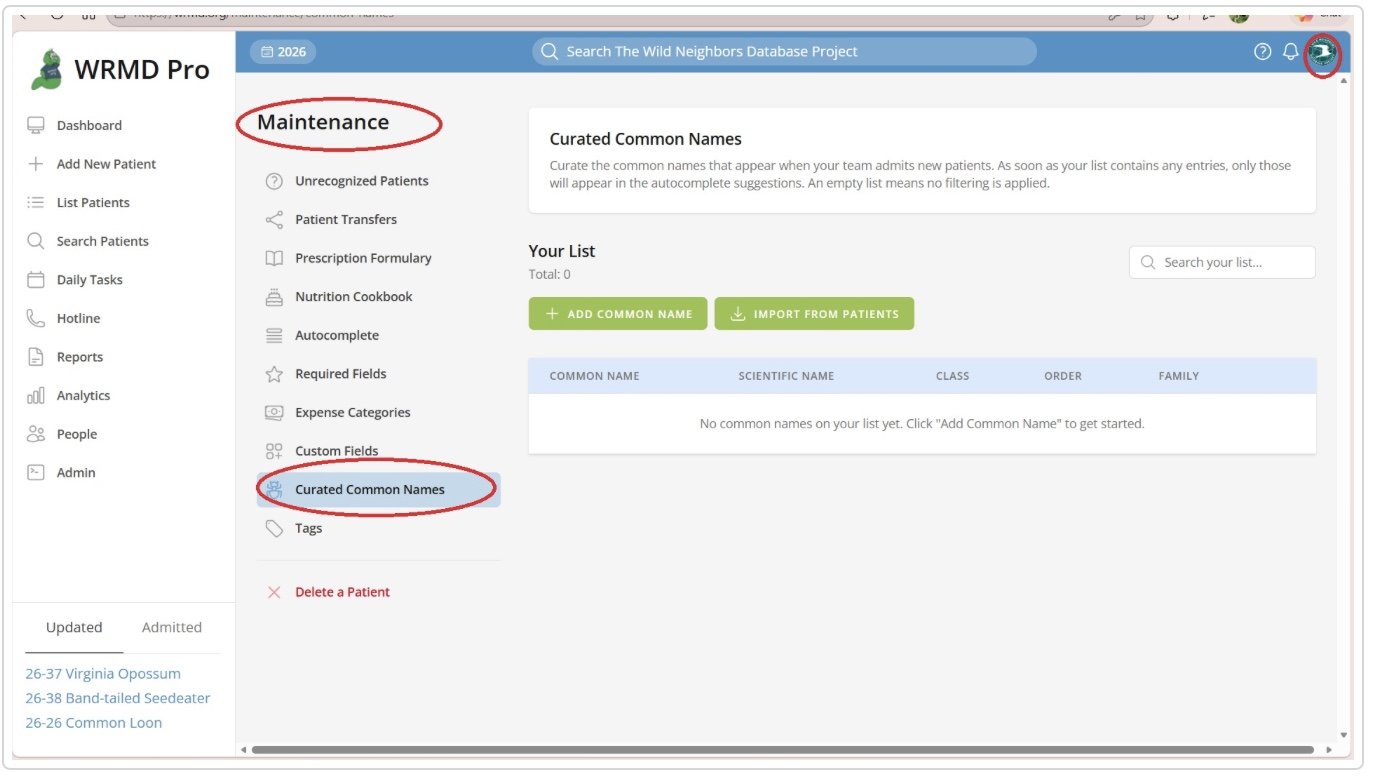
Anyone with maintenance permissions can build the list. Just open the user menu in the top-right corner, choose Maintenance, and select Curated Common Names from the side navigation. Add a few of your most common species and watch your admission form get noticeably friendlier the very next time you take in a patient.
It's a small change with an outsized payoff — and your intake team is going to feel the difference on day one.
For a detailed tutorial, click here.