New WRMD Features: Introducing Public Animal Intake Form and More
We’re always working to make WRMD more useful, flexible, and intuitive for the wildlife rehabilitation community. Today, we’re excited to share several new features designed to make intake easier, improve communication among your team, and add an extra safeguard when updating multiple patient records.
The biggest addition is the new Public Animal Intake Form, which gives organizations a customizable way to collect information directly from members of the public before creating a patient record.
Introducing the Public Animal Report Form
WRMD organizations can now create a Public Animal Intake Form that allows members of the public to report an injured or orphaned wild animal directly from their phone or computer.
Organizations can customize which questions appear on the form, choose which fields are required or optional, add their own branding and messages, select which team members receive notifications, and even include a link to their donation page.
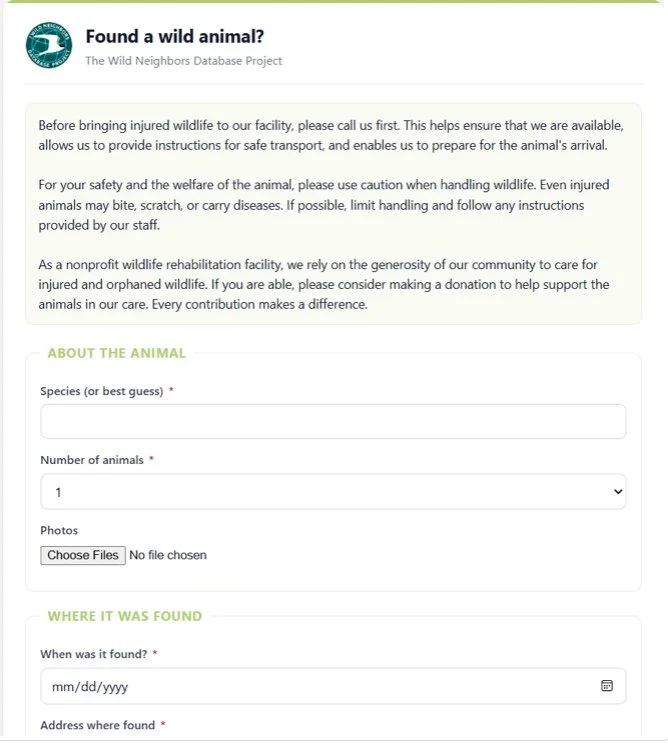
Sample image of a Wild Neighbors branded public animal intake form
Once the form is ready, there are several ways to put it to use. You can embed it directly on your organization’s website, share a direct link, or generate a QR code to use on signs, flyers, social media, or at your facility.
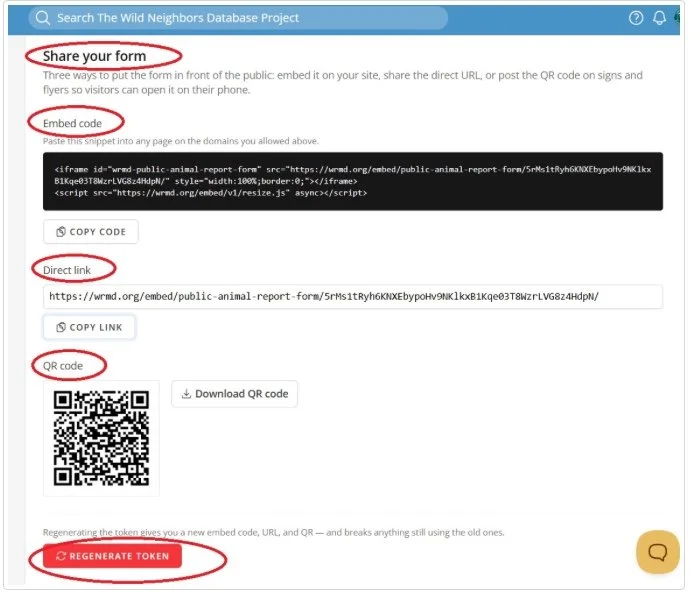
You can share your Public Animal Intake form in multiple ways
When someone submits a report, it does not automatically become a patient record. Instead, the submission enters a private review queue in WRMD, where your team can review and edit the information before deciding what happens next. From there, you can admit the animal as a new patient, create a hotline incident, or reject the submission.
You can learn more about the entire Public Animal Intake process in our Public Animal Reports tutorial library.
Get Started with These Tutorials
We’ve created step-by-step tutorials to help your team set up and use the new feature:
Turn Your Form Into a Front Desk Kiosk
The Public Animal Intake Form isn’t just for your website. Organizations can also enable Kiosk Mode and use the form on a tablet or computer at the front desk.
Walk-in visitors can enter information about the animal themselves while your staff continues working. Kiosk submissions enter the same private review queue as online reports and are marked with a Kiosk badge so your team can easily identify them.
The kiosk is also designed with a shared device in mind. It clears information between visitors, disables autofill, and removes outside links to help protect the previous visitor’s information.
Learn how to set up Kiosk Mode.
Share Important Notes on Your WRMD Dashboard
We’ve also added a simple way to share information with everyone in your WRMD account.
Look for the pencil icon on your WRMD dashboard. Clicking it allows you to add a note that will appear on the dashboard for every WRMD user in your account.
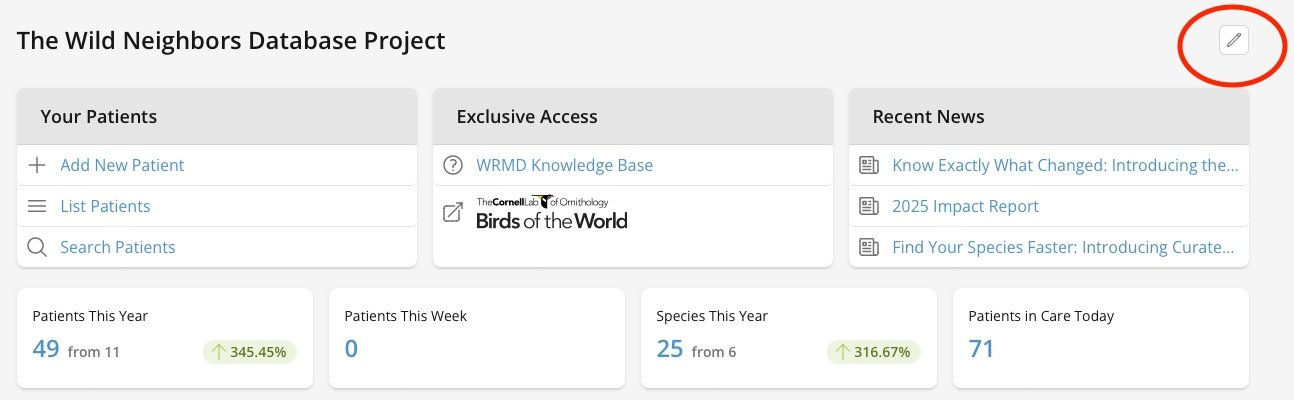
The pencil icon can be found on the top right of the dashboard
Use this space for team-wide reminders, announcements, temporary instructions, or other important information you want staff and volunteers to see when they log in.
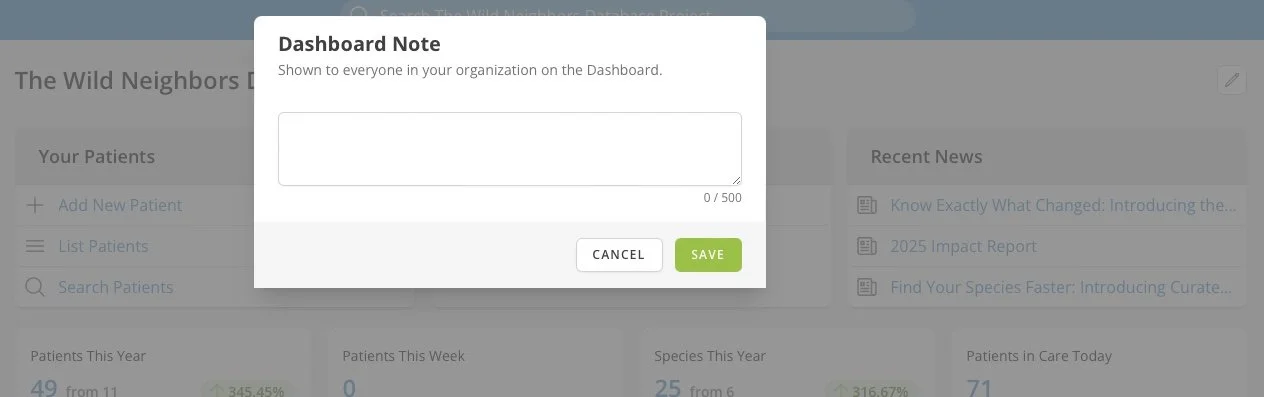
Type in a note to share on your dashboard
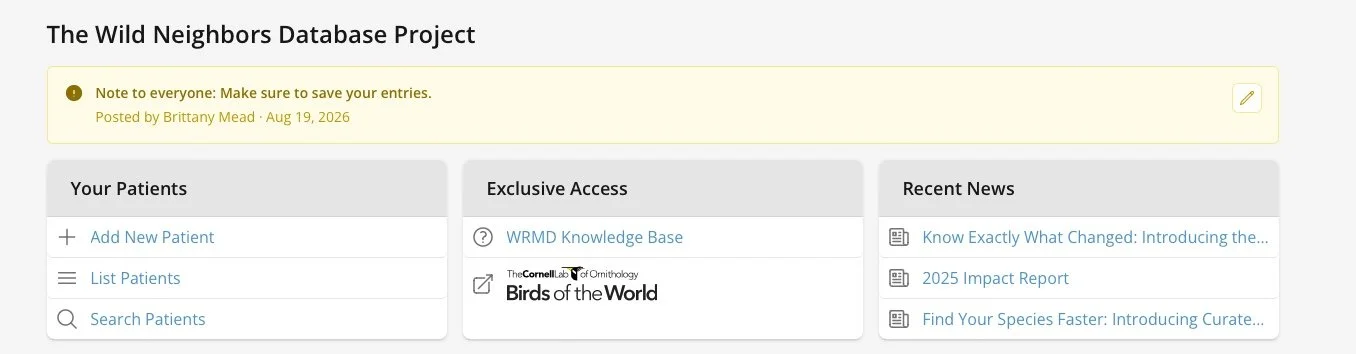
The note will be pinned to the top of the WRMD dashboard for every user in your WRMD account.
An Extra Safeguard for Batch Updates
We’ve also added an additional confirmation step when using batch updates.
Before a batch update is completed, WRMD will alert you that you’re about to update multiple animals and show you exactly which patient records will be affected. You’ll then need to confirm that you want to proceed before the changes are made.
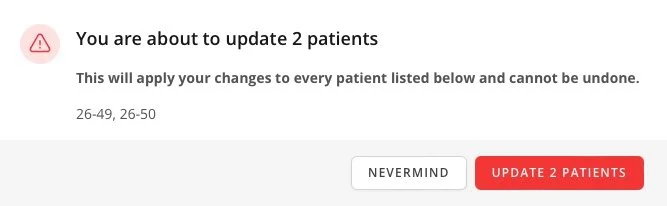
You will need to confirm the patients that you want to update
This extra step helps reduce the risk of accidentally updating the wrong patients while still allowing your team to use batch updates to save time. Want to use Batch updates? You will need to upgrade to WRMD Pro and can do so at anytime here.
More Tools to Support Your Work
These updates are part of our ongoing work to make WRMD more useful for the people and organizations caring for wildlife every day. Whether it’s making it easier to collect information from the public, helping your team communicate, or adding safeguards to everyday workflows, each improvement is designed with the realities of wildlife rehabilitation in mind.
As always, feedback from the WRMD community helps guide our work. Thank you for continuing to share your experiences, ideas, and suggestions with us.
We look forward to sharing more WRMD updates soon!